
[Review] Using ELECOM's VK720A Gaming Keyboard for a Year [Rapid Trigger]
Table Of Contents
This is my review after using ELECOM's V custom VK720A gaming keyboard (TK-VK720AWH) for a year. I cover its quietness, typing feel, the usability of the 75% size, and rapid trigger settings in EG Tool.
関連動画
Related Video
This is a video where we actually tried out the content from the article! If anything is unclear in the article, please check out the video.
The video provides further explanations and demonstrations, so it should be helpful.
Subscribe to Our Channel
If you found this video helpful, please consider subscribing to our channel or giving it a thumbs up! It really motivates us to create more content.
Questions and Feedback
If you have any questions or feedback regarding this article or the video, feel free to leave them in the comment section of the video. Your input is greatly appreciated and will help us improve our content in the future!


I made the video after two months of ownership, and I'm writing this article after another year of using it.
What is the VK720A?
The VK720A is a 75% size gaming keyboard released under ELECOM's gaming brand "V custom", using magnetic analog detection switches (so-called magnetic switches).
It supports rapid trigger and a variable actuation point.
I previously reviewed Leggero (TK-MC30UKLGY), ELECOM's affordable red switch mechanical keyboard, and I wanted to feel for myself how much of a performance difference there is with a high-end gaming keyboard, so I bought this one with my own money and used it thoroughly for a year.
Here are the specifications and model information for the product I'm reviewing:
| Item | Specification |
|---|---|
| Model Number | TK-VK720AWH (Japanese Layout / White) |
| Key Layout | Japanese Layout |
| Key Type | Magnetic Analog Detection Switch (Linear) |
| Key Pitch | 19.0mm |
| Key Stroke | 4.0mm |
| Actuation Point | 0.1mm - 3.8mm (adjustable in 0.1mm steps) |
| Rapid Trigger | Supported |
| Operating Force | 30g - 50g |
| Report Rate | Up to 1,000Hz |
| Size Class | 75% Size |
| Dimensions | Approx. 325.4 x 143.8 x 20.1mm (32.4mm high with the stand up) |
| Weight | Approx. 783g (excluding cable) |
| Connection | Wired (detachable USB Type-C cable) / USB pass-through port |
| Official URL | https://www.elecom.co.jp/products/TK-VK720AWH.html |
| Price | See on Amazon |
What surprised me most was how quiet it is
A good pick if typing noise bothers you
What impressed me most after actually using this keyboard was how quiet it is.
Compared with Leggero, the difference in quietness is obvious the moment you hear it.
Leggero isn't particularly loud either, but the VK720A is quieter still.
You can hear the actual typing sound in the video at the top of this article.
If typing noise during voice chat bothers you, or if you want to reduce how much your keyboard gets picked up by the mic while streaming, this should be a very attractive option.
The quietness comes from the switches
The reason for this excellent quietness is the two silicone sound-dampening pads built into the chassis.
That said, quietness apparently isn't decided by the pads alone, because it clearly felt quieter than the VK600, which also has dampening pads.
That's because silicone parts are attached to the switches themselves, which dampens the sound directly.
For the record, it's also quieter than the VK720AL, the low-profile model with shallower keys.
This level of quietness is hard to grasp just by looking at the spec table on the official site.
If you're curious, I'd recommend going to the gaming corner of a large electronics store and trying the real thing.
ELECOM's gaming devices have a good reputation lately, so you see them on display more and more often.
I think trying one in person will show you that gaming devices are high quality enough to be used for everyday work, not just for gaming.
Comfortable typing feel
The VK720A's operating force starts at 30g and reaches 50g near the bottom of the stroke, and that turns out to be an exquisite, comfortable balance.
It's neither too light nor too heavy, and the whole motion of pressing a key and having it return is very smooth.
I think it's a design that keeps you from getting tired, whether you play games for long sessions or simply type a lot every day.
The key sinks in smoothly the moment you press it, and the mild feel when you bottom out is addictive.
I've used a lot of keyboards over the years, and this is one of the best-fitting typing feels among them.
Well-executed keycaps
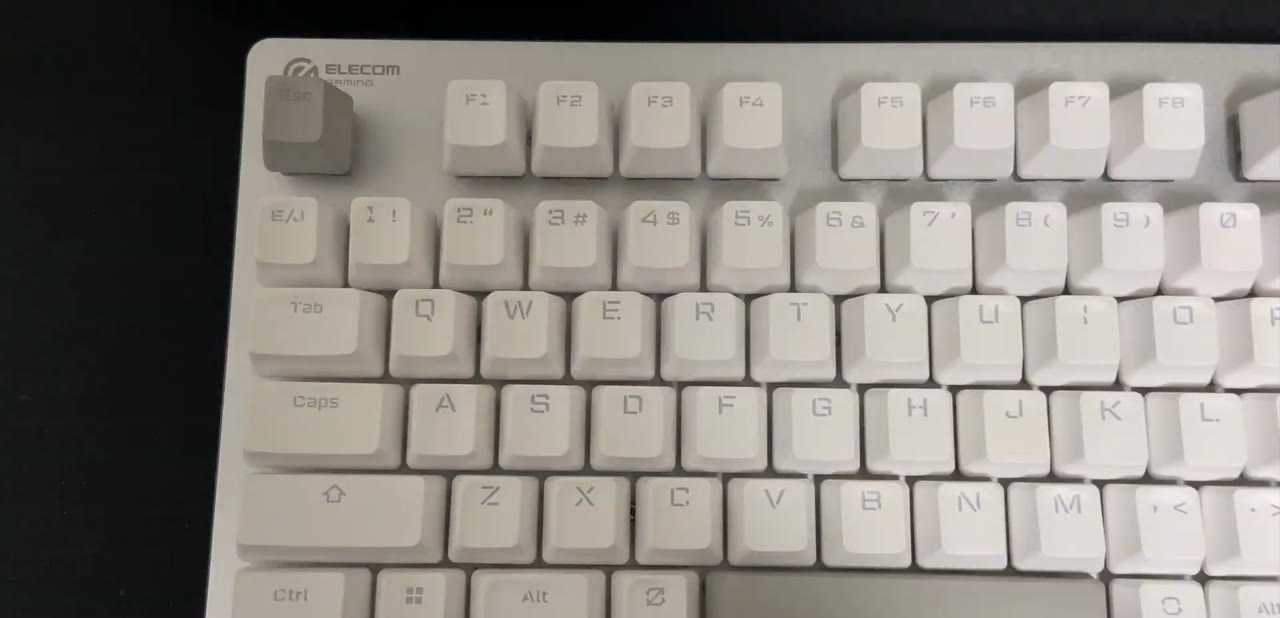
There's almost no wobble in the keys.
They have just the right amount of dish, so your fingers sit on them comfortably.
The surface feels smooth, yet it has just enough matte texture that your fingers don't slip.
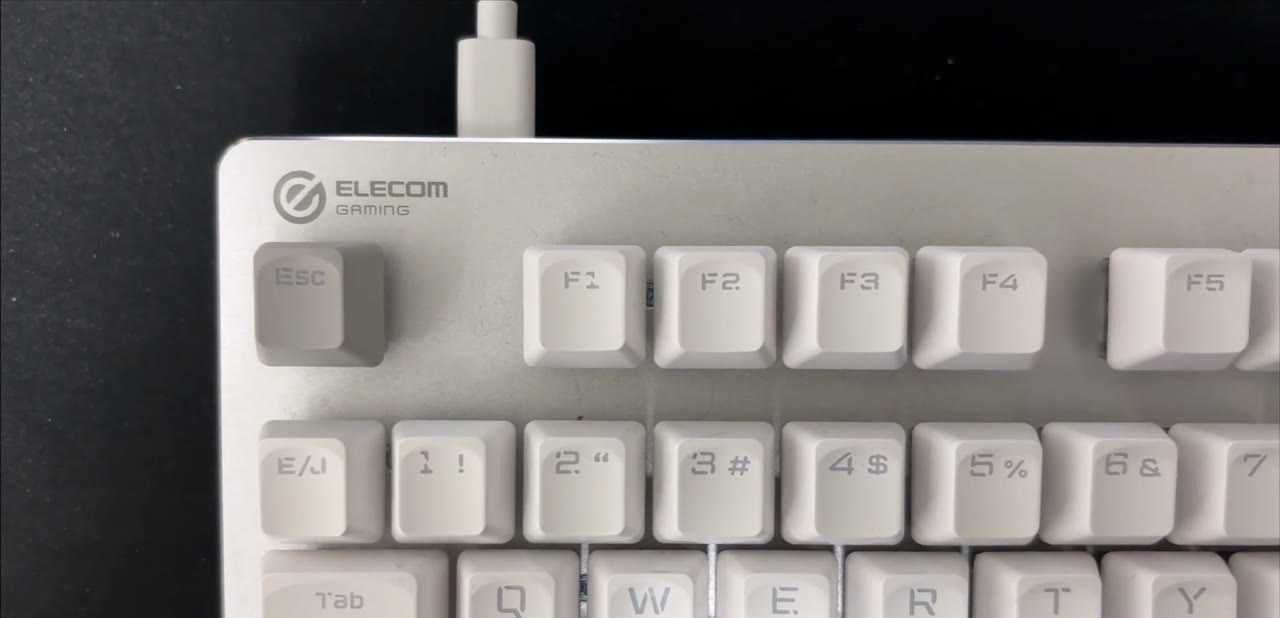
These are the keycaps of Leggero, which I reviewed before.

I liked Leggero's keycaps too, but the VK720A's feel gentler on the fingers and more premium.

Living with the 75% size
From here I'll go over the size, the features, and some points that should help when choosing a keyboard.
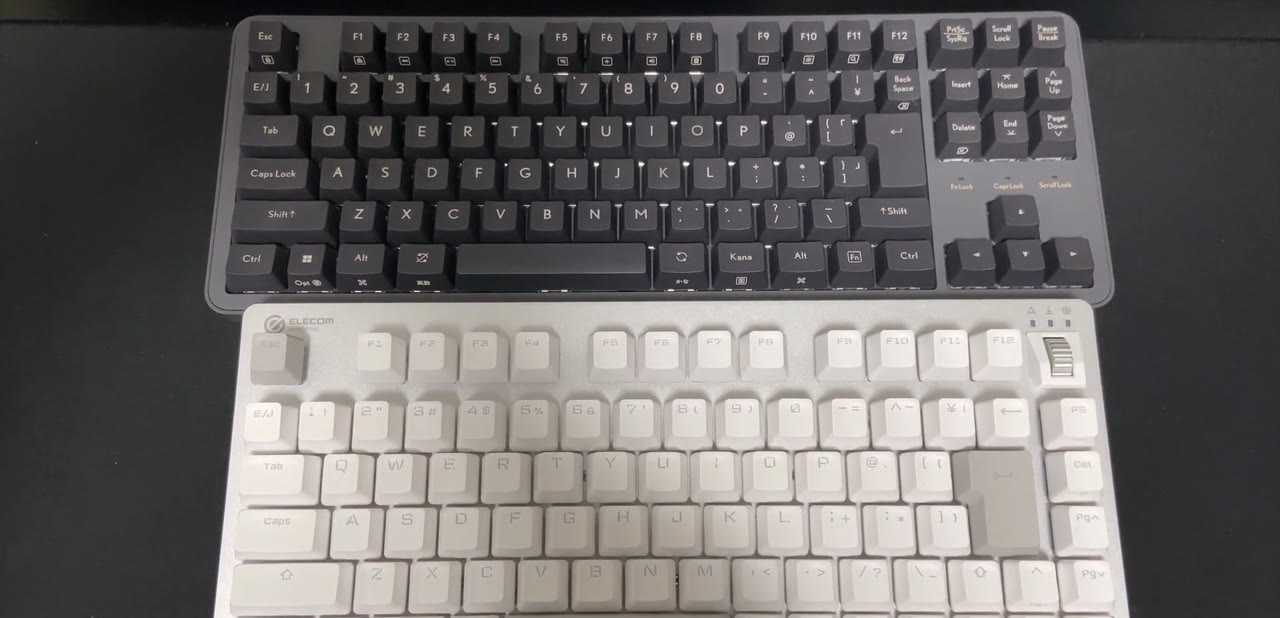
This keyboard uses a 75% size, which is more compact than a tenkeyless board and a bit larger than a 60% model.
Compact gaming keyboards have become popular lately because they free up desk space and give you more room to move the mouse.
The 75% size is essentially the same width as a 65% model.
It's a little taller front to back, but that has never gotten in the way of my mouse movement.
It has dedicated function keys
The big advantage of the 75% size is that the function keys (F1-F12) sit on their own row.
For example, when I play RTS games I need to bind lots of units to groups, so the F1-F4 keys near my left hand get used constantly.
I also use F7 for katakana conversion and F10 for half-width conversion all the time when typing Japanese, so function keys are essential for me.
The right-side key layout is just a matter of getting used to it
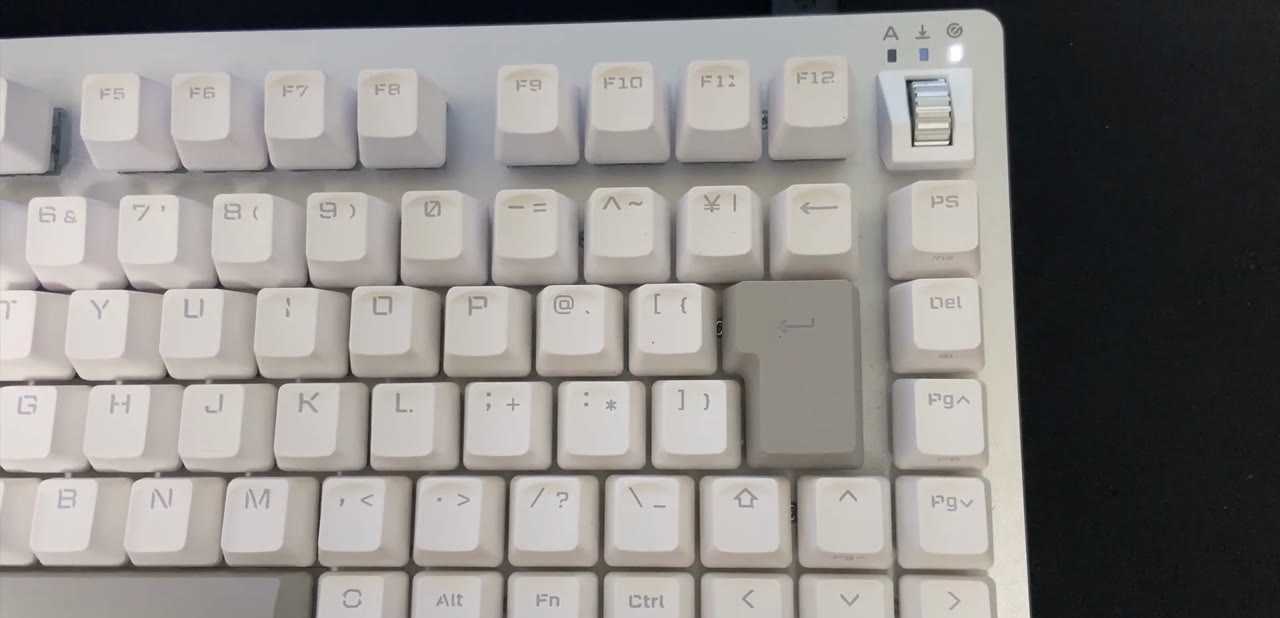
One column of keys is kept on the right edge, with the frequently used ones placed there. The less frequently used keys are entered with the Fn key.
The placement of Backspace and Print Screen may feel a little odd at first, but I got used to it right away.
The right Shift key is smaller and the arrow keys sit in a slightly unusual spot, but you get used to that quickly too. Personally I almost never use the right Shift key, so it was no problem at all.
If you already use a 65% model, the layout will feel familiar.
What you can do with EG Tool
The actuation point and rapid trigger settings can be changed intuitively with the dedicated software "EG Tool".
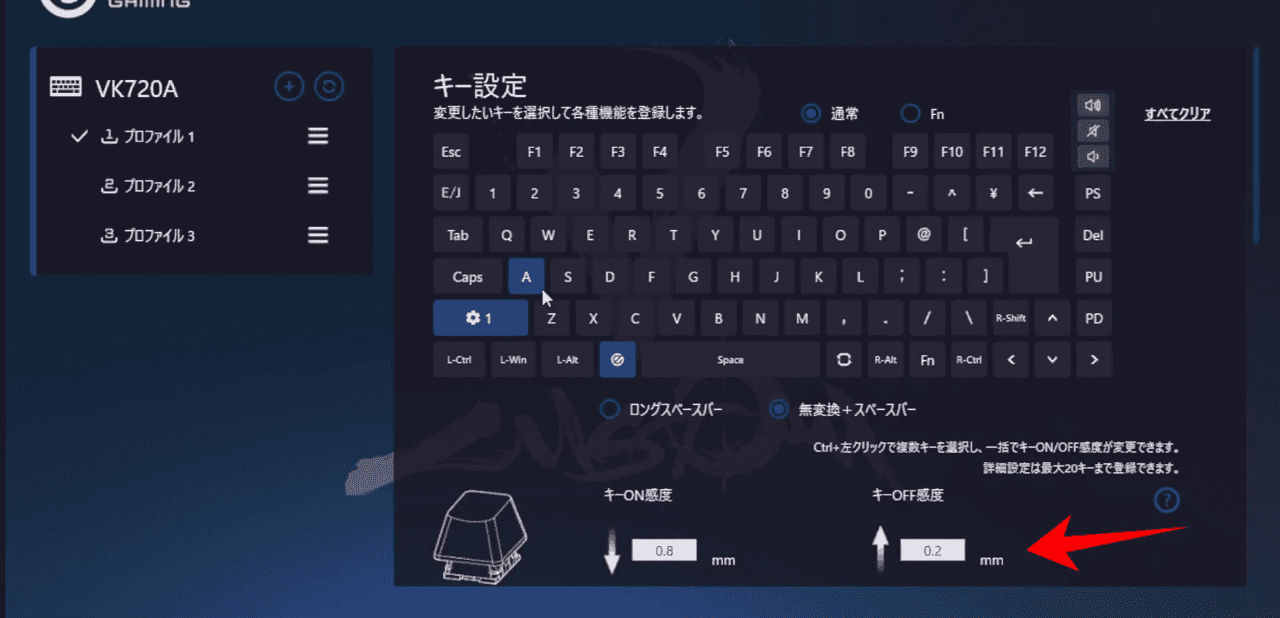
You can change the values easily from the basic key settings screen.
The actuation point is on the left side of the screen and the rapid trigger is on the right.
I set the actuation point to 0.8mm to avoid accidental inputs.
How the rapid trigger numbers work
For those unfamiliar with rapid trigger, this value is the sensitivity that decides "how far the key has to travel back up from where you pressed it before the input is turned off (canceled)".
It's easy to assume at first that "the input turns off once the key comes back up to a depth of 0.6mm", but it's actually judged by the relative distance the key has traveled back up from where you pressed it. For example, if you press all the way down to 3.8mm, the input is canceled once the key rises by 0.6mm to the 3.2mm position.
Per-key settings fixed my accidental inputs
EG Tool also lets you set the sensitivity for each key individually.
While playing RTS games I would often mis-input when binding units with Shift plus a number key, but fine-tuning the sensitivity per key dramatically reduced those mistakes.
Having the software cover for the quirks in your own typing habits is a big strength.
You can create profiles for each use case
You can create multiple setting profiles, so you can switch between per-game settings, a typing profile, a video editing profile, and so on.
In my case, I changed the function key shortcuts for video editing.
Being able to assign hard-to-remember shortcuts or awkward key combinations to a single key has improved my workflow a lot.
Gaming mode
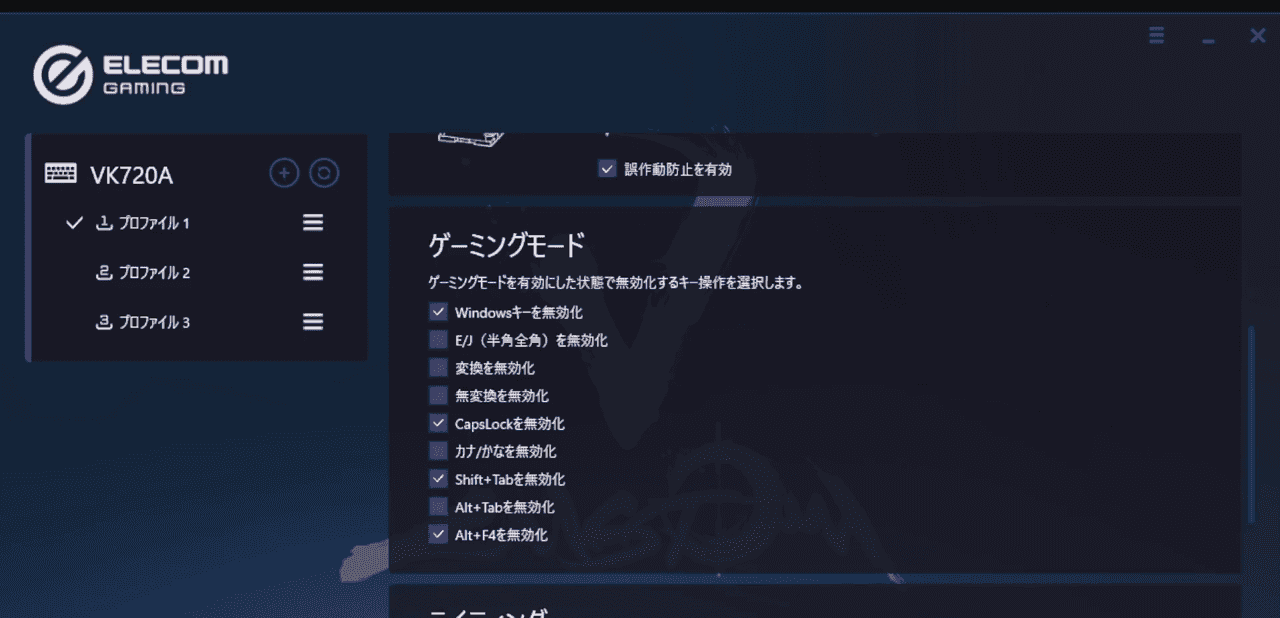
Turning on gaming mode disables specific keys that would otherwise cause accidental inputs during gameplay.
When you switch modes, an indicator on the keyboard lights up to show the current state.
Lighting settings
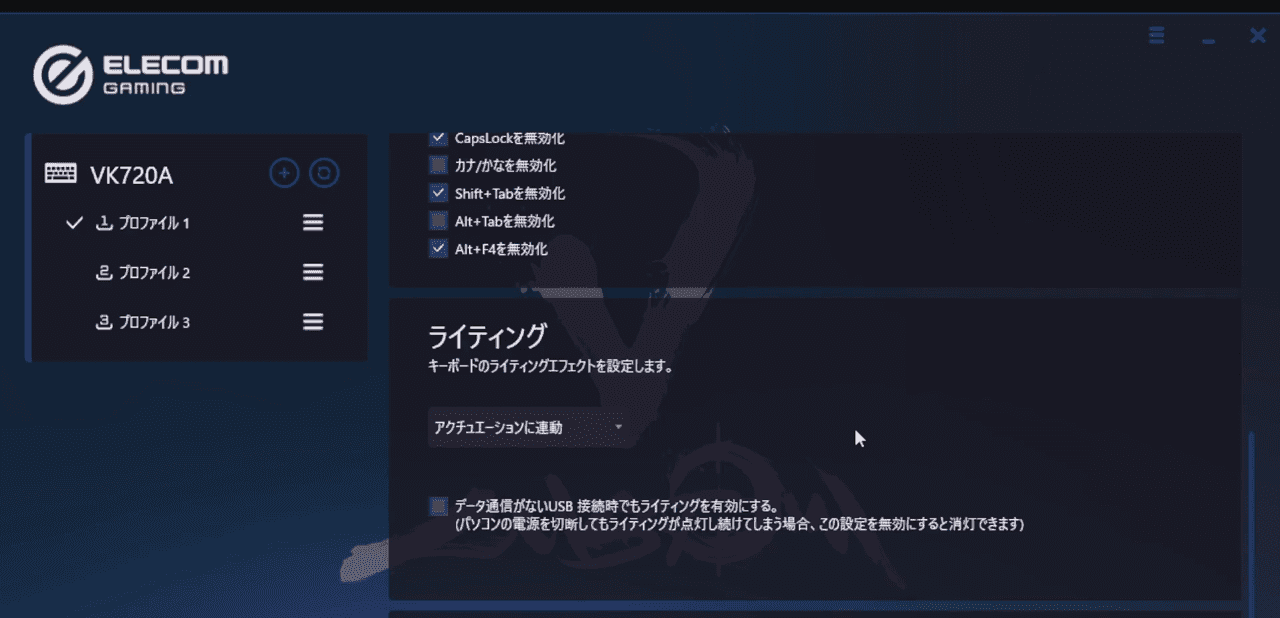
The lighting settings let you freely customize the backlight patterns and effects.
Other small details
Multi-function wheel and USB port
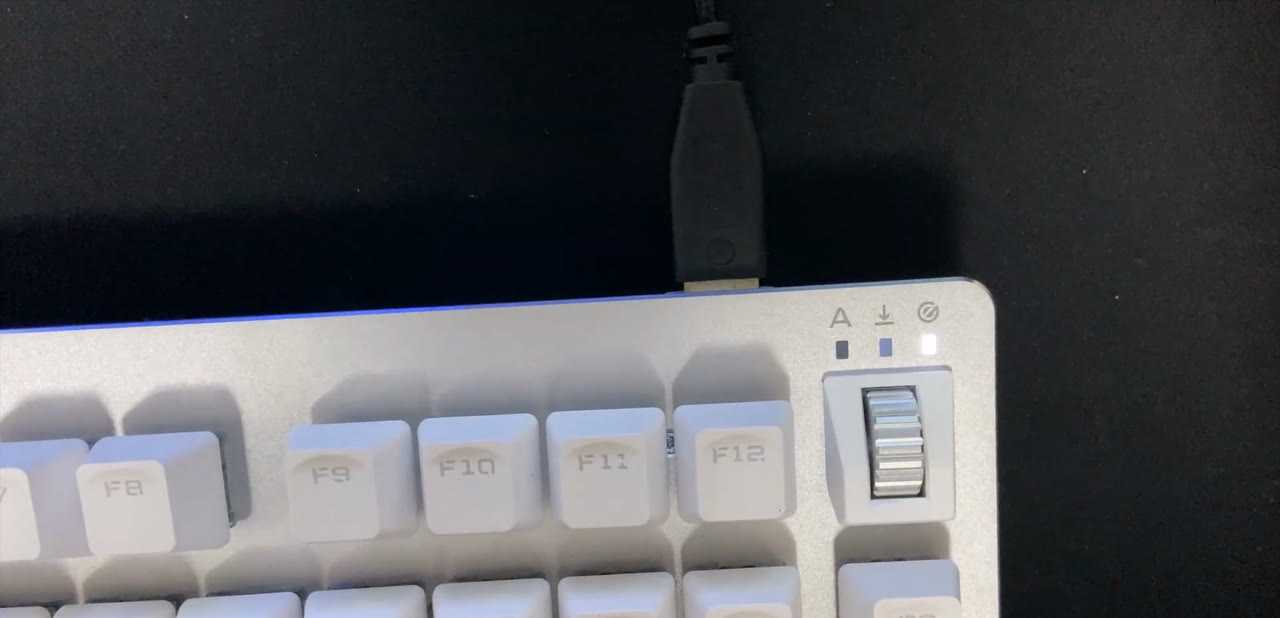
You can bind your preferred function or key to the wheel on the upper right of the body.
The connection to the PC is wired, using the Type-C port on the upper left of the body.
There's also a USB pass-through port on the right side (upper right), which is handy for plugging in a wireless mouse receiver.
Rubber feet and the tilt stand on the back
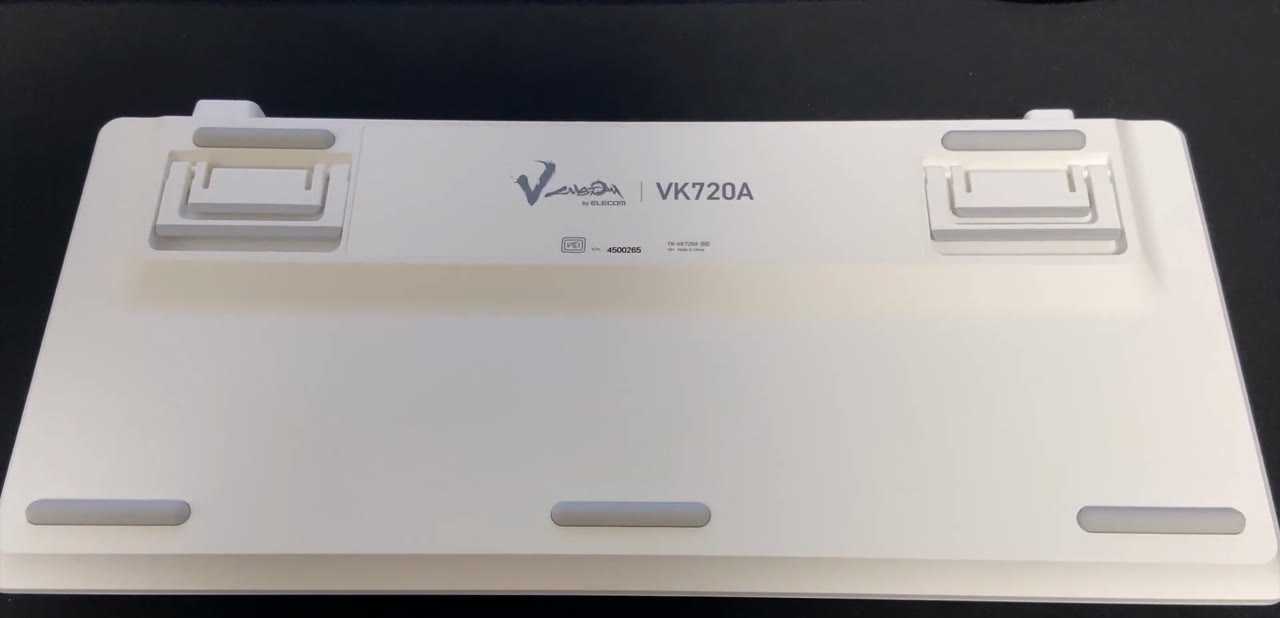
There are five large rubber feet on the back.
Even on a SteelSeries cloth mouse pad, it never shifts during play.
The tilt stands have rubber grips on them as well.
The stand has two angle settings, and I use the higher one.
The silent switches are sold separately
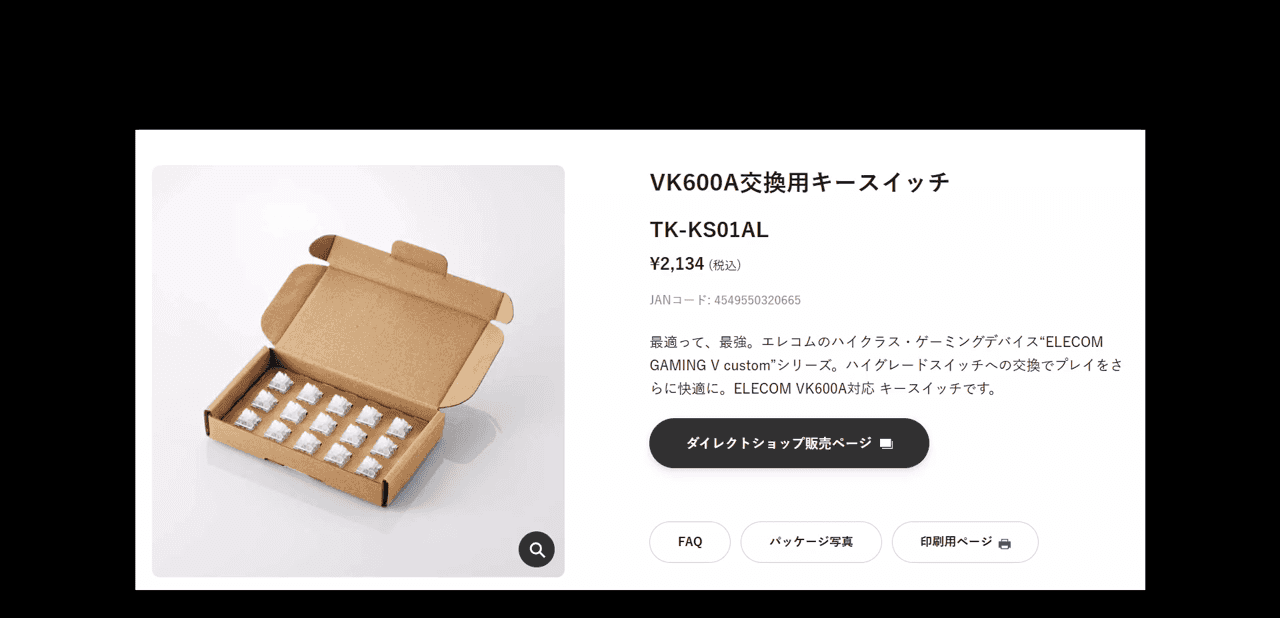
The silent magnetic switches used here are also sold on their own.
If the specification matches, they can apparently be used to customize other manufacturers' keyboards too.
If you currently use something like the VK600 and want to quiet it down, this is a customization I'd highly recommend.
Things I found a bit disappointing
A Japanese layout with dedicated function keys, more compact than a tenkeyless board.
On top of that, a variable actuation point, rapid trigger support, and excellent quietness.
A gaming keyboard with all of these boxes ticked is a rare thing in today's market.
If I had to name the disappointing points:
- It doesn't have a feature that detects a game launching and switches profiles automatically
- On 75% models the Print Screen (screenshot) key sits to the right of Backspace, so when you hit it by mistake you have to move the mouse and close it with the x button, which is annoying
That's about it.
Setting only the Print Screen key to the deepest actuation point improved that a lot.
If auto profile switching on game launch were implemented, I feel it would be even more flawless.
I want to support domestic manufacturers
The biggest appeal of the ELECOM gaming keyboard I've introduced here is that it's a product from a trustworthy domestic manufacturer.
Japanese manufacturers that make great products are ones I want to actively support.
I've bought all sorts of products from domestic makers over the years, including a KIOXIA SSD, a Logitec SSD enclosure, and an Audio-Technica microphone, and they've all been very high quality.
They may get less attention online than overseas brands, but their quality and level of refinement are by no means inferior.
Summary
I used it thoroughly for a year, and my impressions haven't really changed since the video.
The only thing I'd add is the accidental Print Screen presses (Backspace being harder to hit).
- Overwhelmingly quiet, ideal for voice chat and streaming setups
- The 30g start / 50g bottom-out balance makes for a very comfortable typing feel
- High-quality keycaps that sit nicely under your fingers
- Dedicated function keys despite the 75% size
- EG Tool lets you adjust rapid trigger and per-key sensitivity, greatly reducing input mistakes
- The only shame is the lack of automatic profile switching on game launch
Out of all the keyboards I've used, this one is good enough that although I was thinking of hunting around for more keyboards, I've simply settled on this one.
I hope this was helpful as a reference when choosing a keyboard.


