
What Is Inertia.js? Building CRUD Functionality with Laravel + React
Table Of Contents
- The Major Frameworks With Third-Party Adapters Listed on the Official Site
- How It Delivers an SPA-Like Experience While Keeping Server-Side Routing
- The Benefits of Inertia.js
- The Downsides of Traditional SPAs, and How Inertia Addresses Them
- I Built Task-Management CRUD With Laravel + React (Inertia.js) in Docker
- Actually Operating the App to Verify Adding, Completing, and Deleting Tasks
- The Downsides of Inertia.js
- Summary
How Inertia.js works, and a hands-on build of task-management CRUD functionality with the Laravel + React starter kit to see it in action.


While researching Laravel + React development, a library called "Inertia.js" kept coming up.
Apparently, it's a mechanism that keeps your server-side routing and controllers exactly as they are, while making page transitions feel as snappy as an SPA.
It seems that without building a separate REST API, whatever a Laravel controller returns becomes props for Vue or React directly, supposedly removing the need to develop and deploy the frontend and backend separately.
That got my attention, so I actually set up a Laravel + React environment in Docker and built task-management CRUD functionality to see for myself.
The Major Frameworks With Third-Party Adapters Listed on the Official Site
Inertia.js's name recognition makes it easy to assume it's a Laravel-only tool, but it's actually designed to be framework-agnostic.
According to the Community Adapters page on the official Inertia.js site, Laravel is the only server-side adapter officially supported by Inertia itself, but community-built third-party adapters are listed for frameworks including the following.
- Rails (Ruby)
- Django (Python)
- Phoenix (Elixir)
- Symfony (PHP)
- NestJS (Node.js)
Adapters for Go, Rust, and even WordPress are listed too, so the range of coverage is quite wide.
On the client side, Vue, React, and Svelte are officially supported.
For this article, I tested the Laravel + React combination.
How It Delivers an SPA-Like Experience While Keeping Server-Side Routing
The official Inertia.js site puts it this way: "Develop React, Vue, and Svelte SPAs with the elegance of server-side routing. Plug and play with any backend, meticulously optimized for Laravel. No API required."
Typical SPA development requires three layers of implementation:
- Setting up REST API or GraphQL endpoints on the backend
- Setting up routing on the frontend, like Vue Router or React Router
- Loading the fetched data into frontend state management (Pinia, Redux, etc.)
With Inertia, routing and controllers stay right where they are on the Laravel side, and the data a controller returns is passed straight through as props to Vue/React (I confirmed this mechanism myself later, in the implementation below).
The Benefits of Inertia.js
The Biggest Win: Props Arrive Directly, With No API to Build
A typical plain-Vue implementation (Vue Router + axios) needs per-screen state management for "is it loading," "did it load," and "did an error happen."
<!-- Plain Vue -->
<script setup>
import { ref, onMounted } from "vue"
import axios from "axios"

const tasks = ref([])
const loading = ref(true)
const error = ref(null)

onMounted(async () => {
  try {
    const res = await axios.get("/api/tasks")
    tasks.value = res.data
  } catch (e) {
    error.value = e
  } finally {
    loading.value = false
  }
})
</script>

<template>
  <p v-if="loading">読み込み中...</p>
  <p v-else-if="error">エラーが発生しました</p>
  <ul v-else>
    <li v-for="task in tasks" :key="task.id">{{ task.title }}</li>
  </ul>
</template>
With Inertia, the tasks a controller returns arrives directly as props, so this entire loading/error handling becomes unnecessary.
<!-- With Inertia -->
<script setup>
defineProps<{ tasks: { id: number; title: string }[] }>()
</script>

<template>
  <ul>
    <li v-for="task in tasks" :key="task.id">{{ task.title }}</li>
  </ul>
</template>
Designing, implementing, and documenting an API endpoint also becomes unnecessary, so it's not just less code — the number of design decisions themselves goes down.
Other Benefits
- You can reuse Laravel's authentication, authorization, and validation mechanisms (like
FormRequest) as-is - The routes defined in
routes/web.phpbecome the app's single source of routing, so route definitions never need to be maintained twice, once for the frontend and once for the backend - You keep the server-side MVC development experience (close to writing Blade), with only page transitions becoming reload-free
The Downsides of Traditional SPAs, and How Inertia Addresses Them
Traditional SPAs (where Vue Router or React Router fully decouples the frontend app from the API) come with a few operational costs.
- You tend to need separate repositories and separate deploy pipelines for the backend and frontend
- You tend to implement the same validation rules on both the backend (server) and frontend (client), which makes them easy to drift out of sync
- You need to build authentication separately, via API tokens or SPA-oriented session integration (like Sanctum)
- For SEO and OGP generation, you often end up needing a separate SSR (server-side rendering) setup
My understanding is that Inertia grew out of exactly this need: wanting to build an SPA without the full effort and cost of building an API layer.
It's an architecture where you keep writing the server side the same way as always — Laravel controllers, routing, something close to Blade — while only the in-browser experience becomes SPA-like; you could call it "a monolithic server-side MVC with an SPA look bolted on."
I Built Task-Management CRUD With Laravel + React (Inertia.js) in Docker
Rather than just reading the official docs, I set up a Laravel + React starter-kit environment in Docker and built working task-management CRUD functionality.
1. Create a project with the React + Inertia starter kit
laravel new inertia-react-demo --react --database=sqlite --no-authentication --pest --no-node --no-interactionThis pulled in Laravel 13.29.0 and inertiajs/inertia-laravel v3.3.1 as of this writing.
On the frontend, that's @inertiajs/react 3.7.0 and React 19.2.8.
2. app.tsx turned out to be surprisingly simple
The generated resources/js/app.tsx was surprisingly short code, like this.
import { createInertiaApp } from "@inertiajs/react"

const appName = import.meta.env.VITE_APP_NAME || "Laravel"

void createInertiaApp({
  title: title => (title ? `${title} - ${appName}` : appName),
  progress: {
    color: "#4B5563",
  },
})
There's no resolve or setup specified.
Curious, I read through @inertiajs/react's own source (node_modules/@inertiajs/react/dist/index.js) and found that createInertiaApp unconditionally calls resolve(name, page) internally — code that shouldn't work at all without a resolve being passed in.
That meant resolve had to be getting filled in somewhere, so I checked the source of the @inertiajs/vite plugin (inertia()) loaded in vite.config.ts too.
This one used Vite's AST parser to directly detect the createInertiaApp(...) call in the source code, and performed a code transform at build time that injects a resolve function.
// node_modules/@inertiajs/vite/dist/index.js (excerpt)
return `resolve: async (name, page) => {
    ${transformLine}const pages = import.meta.glob(${glob}${globOptions})
    ...
}`
In other words, the createInertiaApp({...}) written in app.tsx gets its source code rewritten at build time by the @inertiajs/vite plugin, which automatically injects a resolve function that resolves everything under resources/js/pages via import.meta.glob.
It was a surprise to find a plugin that rewrites your actual source code at the AST level — well beyond what I'd normally think of as a "plugin" in a Vite config file.
3. Create the tasks table and model
php artisan make:model Task -mrcI added title and is_done columns to the migration.
// database/migrations/xxxx_create_tasks_table.php
Schema::create('tasks', function (Blueprint $table) {
    $table->id();
    $table->string('title');
    $table->boolean('is_done')->default(false);
    $table->timestamps();
});
4. Implement the controller
I passed the task list as Inertia props from index, and implemented store/update/destroy as ordinary Laravel controller methods.
// app/Http/Controllers/TaskController.php
public function index(): Response
{
    return Inertia::render('tasks/index', [
        'tasks' => Task::latest()->get(),
    ]);
}

public function store(Request $request): RedirectResponse
{
    $validated = $request->validate([
        'title' => ['required', 'string', 'max:255'],
    ]);

    Task::create($validated);

    return redirect()->route('tasks.index');
}
I registered the routes all at once with Route::resource.
// routes/web.php
Route::resource('tasks', TaskController::class)->only(['index', 'store', 'update', 'destroy']);
5. Wayfinder auto-generated typed route helpers
This starter kit comes with Laravel Wayfinder built in from the start, and running npm run build auto-generates TypeScript functions corresponding to each controller action.
// resources/js/actions/App/Http/Controllers/TaskController.ts (auto-generated)
export const store = (
  options?: RouteQueryOptions
): RouteDefinition<"post"> => ({
  url: store.url(options),
  method: "post",
})
Thanks to this, I never had to hardcode a URL string on the frontend.
import TaskController from "@/actions/App/Http/Controllers/TaskController"

post(TaskController.store.url())
As a test, I removed update from Route::resource(...)->only([...]) in routes/web.php and rebuilt — the update function disappeared entirely from the generated TaskController.ts, and tsc --noEmit caught it with an error saying the property update doesn't exist.
I found it genuinely useful that types can catch the kind of mistake where you forget to remove a route while a stale call still lingers on the frontend.
6. Implement the React page
useForm handles form state management and submission together.
// resources/js/pages/tasks/index.tsx
const { data, setData, post, processing, errors, reset } = useForm({
  title: "",
})

const submit: FormEventHandler = e => {
  e.preventDefault()
  post(TaskController.store.url(), {
    onSuccess: () => reset("title"),
  })
}
I implemented the per-task completion toggle and delete the same way, giving each row its own useForm.
function TaskRow({ task }: { task: Task }) {
  const {
    data,
    setData,
    put,
    delete: destroy,
    processing,
  } = useForm({
    title: task.title,
    is_done: task.is_done,
  })

  const toggleDone = () => {
    setData("is_done", !data.is_done)
    put(TaskController.update.url(task.id), { preserveScroll: true })
  }

  const remove = () => {
    destroy(TaskController.destroy.url(task.id), { preserveScroll: true })
  }
  // ...
}
According to the official docs, passing preserveScroll: true keeps the scroll position from resetting on the page transition after an update.
With so few tasks in this test, the screen never actually scrolled, so I haven't verified this behavior myself.
Actually Operating the App to Verify Adding, Completing, and Deleting Tasks
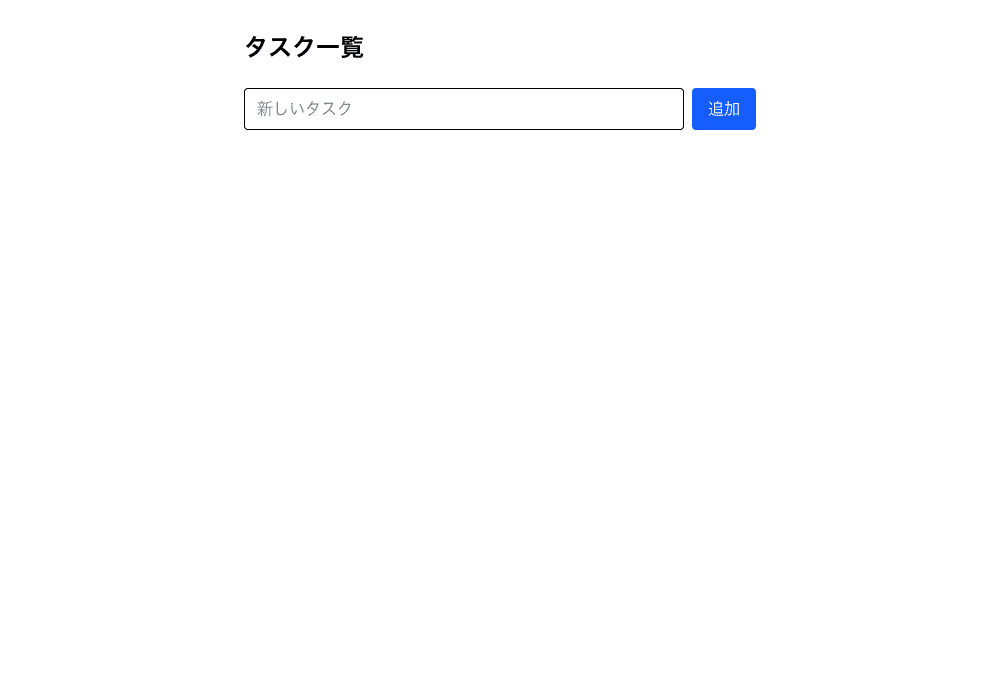
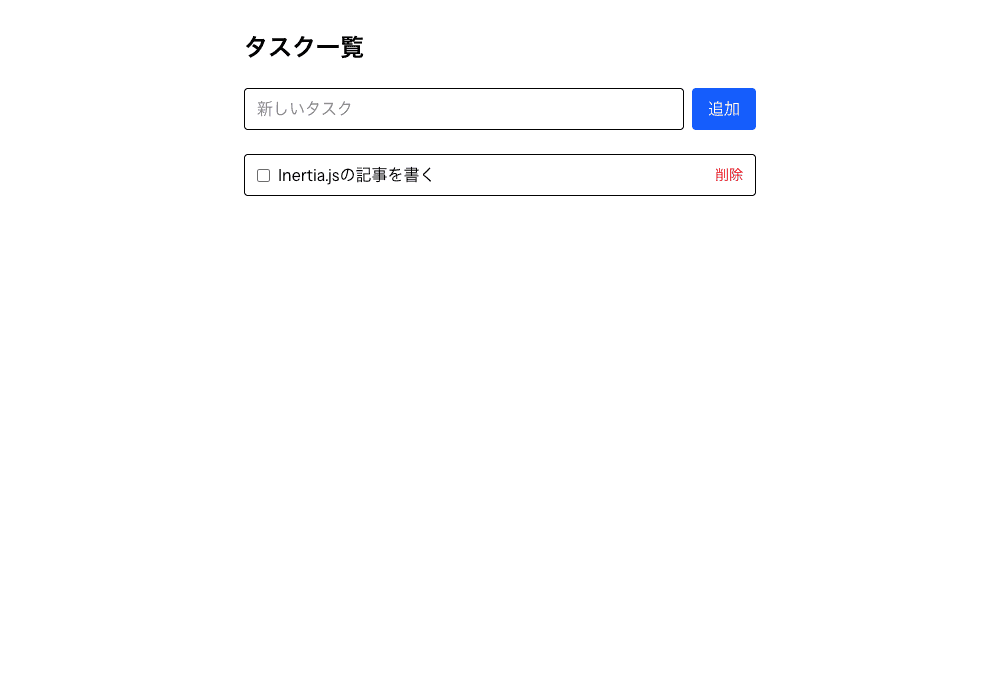
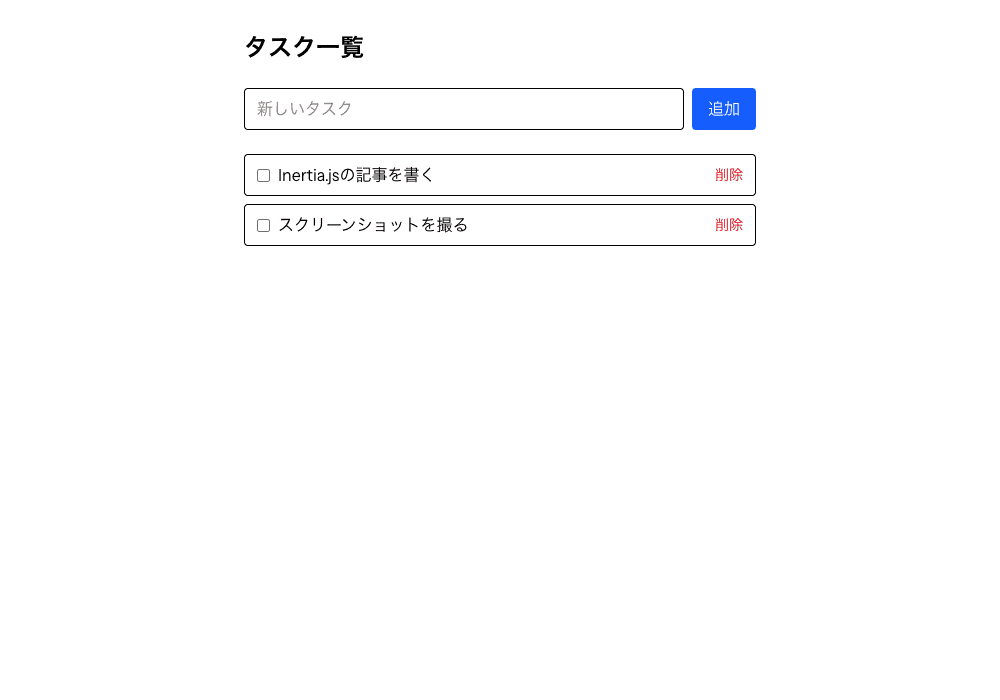
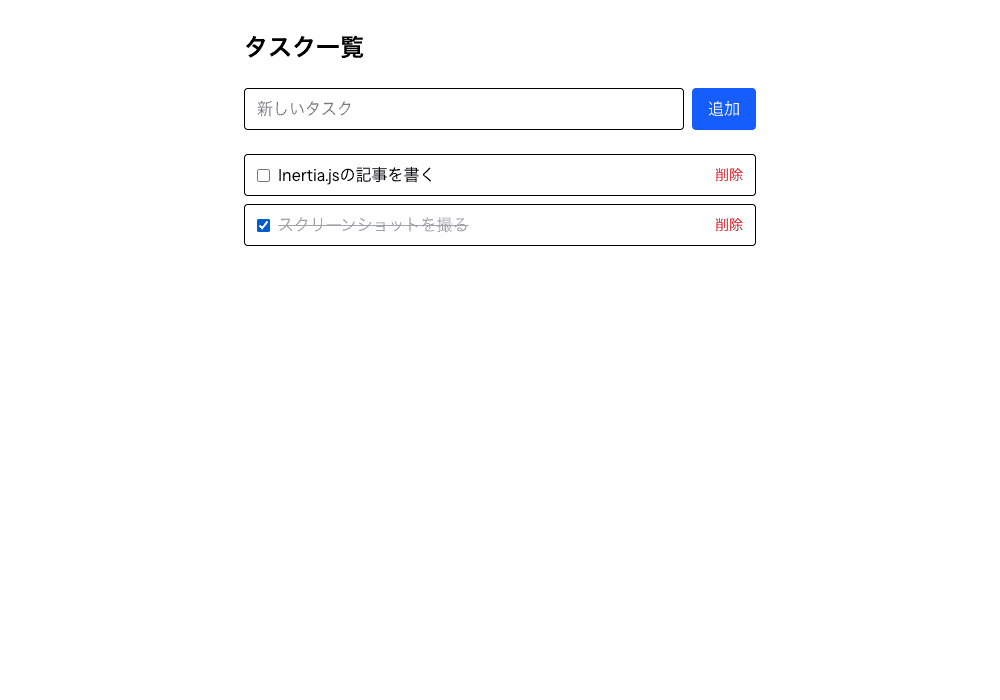
I started the server with php artisan serve and took screenshots with a headless browser while actually adding, completing, and deleting tasks.
The initial state. There are no tasks yet.
Adding "Write the Inertia.js article" showed up in the list without the whole page reloading.
I then added "Take screenshots" as well.
Checking the checkbox saves the completed state to the server and shows a strikethrough.
Clicking "Delete" removes that task from the list.
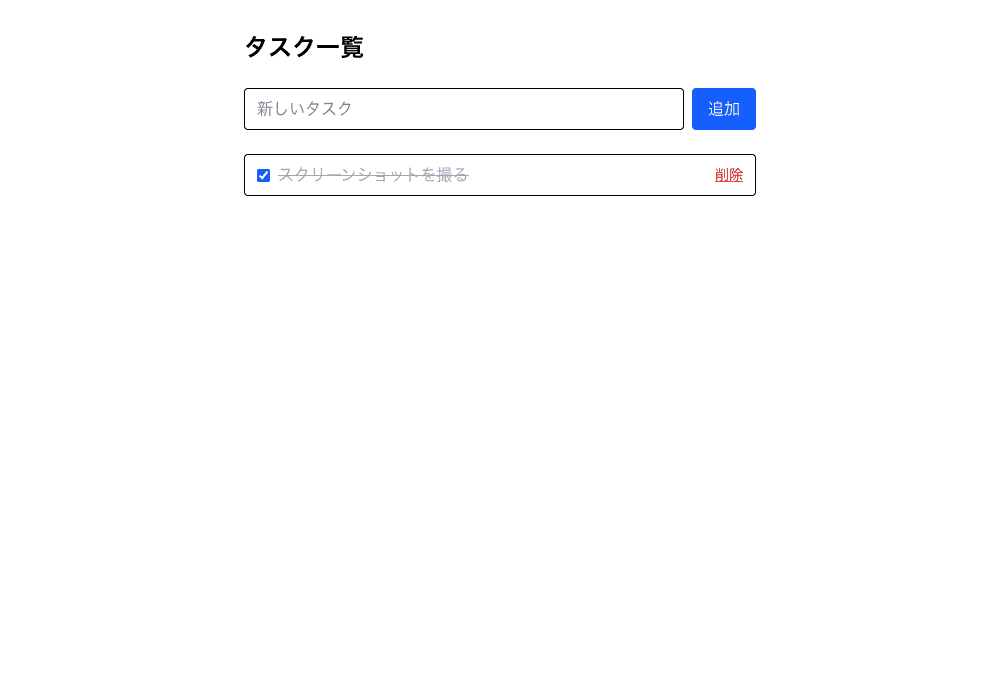
Throughout this whole sequence, the browser's address bar stayed at /tasks the entire time, and the classic "blank white reload" never happened once.
Looking at the Actual Network Traffic
I logged the browser's network traffic to see what Inertia is actually doing behind the scenes.
Accessing /tasks directly in a normal browser returned ordinary HTML, with the page's data embedded as JSON inside a <script data-page="app" type="application/json"> tag.
{
  "component": "tasks/index",
  "props": {
    "tasks": [{ "id": 2, "title": "スクリーンショットを撮る", "is_done": true }]
  },
  "url": "/tasks",
  "version": "e1c0a3ff3ef00d02e406de33da10c8a4"
}
On the other hand, the request Inertia's client sends on a page transition carries an X-Inertia: true header, and instead of a full HTML page, the response is just plain JSON in the same shape as above (Content-Type: application/json).
| Request type | X-Inertia header | Response body |
|---|---|---|
| Direct access / reload | None | Normal HTML (with a <script> tag embedding JSON) |
| Page transition (SPA-style navigation) | true | Plain JSON with no page body |
It returns plain HTML only on the first load, then switches to exchanging JSON for every page transition after that — I confirmed from the actual traffic that this simple mechanism is what delivers the SPA-like experience.
The Downsides of Inertia.js
Here are the downsides I noticed from actually using it.
- Because the backend and frontend become tightly coupled, it's not a great fit for a style where a separate team develops the frontend in complete isolation
- If you want to reuse the same API for non-web clients, like a mobile app, you'll end up needing a separate REST API after all
- Since the design passes props from the controller on a per-page basis, you have to work out your own approach for sharing the same data across multiple pages (though you can pass shared data in bulk via the
HandleInertiaRequestsmiddleware)
Conversely, for a project where you want the backend and frontend to live in the same team and the same repository, I don't think these end up mattering much as downsides.
Summary
Having actually used Inertia.js, I came away feeling it offers just the right middle ground for when you want to build an SPA but want to avoid the cost of designing and implementing a full API layer from scratch.
I'd assumed it was a Laravel-only tool, but while official support is Laravel-only, the official site lists plenty of community-built third-party adapters for frameworks like Rails and Django — learning that the underlying idea itself is a framework-agnostic architecture pattern was a nice takeaway too.
Having a controller's return value become frontend props directly gives you an SPA-like UX while still feeling close to developing in Blade, so I think it's also a good fit if you want to bolt SPA-style screens onto an existing Laravel project later.


