
What Is Laravel Boost? Trying Out MCP + Claude Code Integration
Table Of Contents
- Laravel Boost, in short
- What is Laravel Boost?
- I actually installed it and checked
- Does the MCP server actually work? I checked with tools/list
- I actually built something: a simple post feature
- Enabling MCP manually in Claude Code
- AI Guidelines vs. Agent Skills
- Keeping Boost's resources up to date
- Things to watch out for
- Summary
An overview of Laravel's official Laravel Boost package, and a hands-on walkthrough of connecting it to Claude Code over MCP in a Docker environment.
関連動画
Related Video
This is a video where we actually tried out the content from the article! If anything is unclear in the article, please check out the video.
The video provides further explanations and demonstrations, so it should be helpful.
Subscribe to Our Channel
If you found this video helpful, please consider subscribing to our channel or giving it a thumbs up! It really motivates us to create more content.
Questions and Feedback
If you have any questions or feedback regarding this article or the video, feel free to leave them in the comment section of the video. Your input is greatly appreciated and will help us improve our content in the future!


Laravel Boost, in short
It's a bundle of "rules + domain knowledge + project-analysis tools" that helps an AI agent understand your Laravel project.
In other words: when you're building a Laravel project with an AI agent like Claude Code (or wiring one into an existing one), this handy package sets up the rule scaffolding and official-docs references for you with a single command.
What is Laravel Boost?
Laravel Boost is an official package from the Laravel team, built for AI coding agents.
It hands agents like Claude Code and Cursor the information they need to actually understand what's inside a Laravel project.
It's made up of three main pieces:
- MCP server — a set of tools that let an agent directly look at your DB schema, logs, and the official Laravel docs
- AI Guidelines — best-practice files tailored to the exact versions of Laravel, Livewire, Pest, and other packages you have installed
- Agent Skills — detailed how-to guides that only get loaded when you're doing that specific kind of task
As of this writing (August 2026), the latest version is laravel/boost v2.5.5, which requires PHP 8.2 or later.
It's still labeled beta and gets updated frequently.
I actually installed it and checked
Rather than taking the official docs at face value, I spun up a clean PHP 8.3 environment in Docker and installed it for real.
1. Create a Laravel project
composer create-project laravel/laravel boost-demoThis pulled in Laravel 13.26.1 as of this writing.
2. Install Boost
composer require laravel/boost --devThis installed laravel/boost v2.5.5, along with its dependency laravel/mcp v0.9.4.
3. Run boost:install
php artisan boost:installThis command interactively asks you, in order:
- Which features to set up (AI Guidelines / Agent Skills / MCP server configuration)
- Whether to install Guidelines and Skills for any installed third-party packages too, e.g. Livewire, Pest
- Which AI agents to configure for (Claude Code / Cursor / Codex / Gemini CLI, etc.)
For that third question, if the claude command is on your system, or your project already has a .claude directory or a CLAUDE.md file, Claude Code gets auto-detected and pre-selected.
I installed the actual Claude Code CLI into the test environment too, and when I ran boost:install, Claude Code was auto-detected and everything ran as follows (this is the real terminal output):
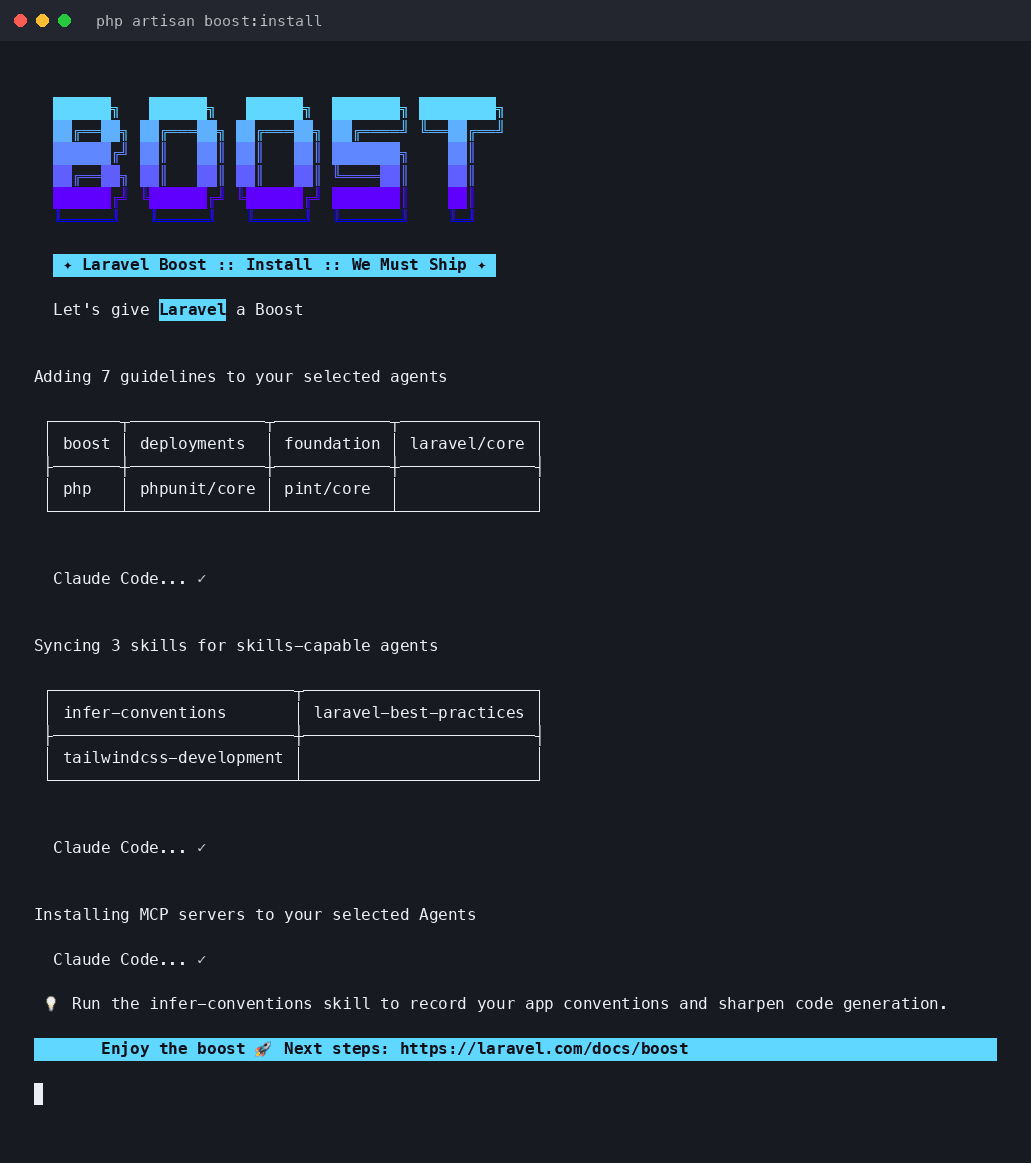
7 guidelines and 3 skills got installed for Claude Code, and the MCP server got registered at the same time, all in one shot.
4. The files it generated
After installation, the following showed up at the project root:
.mcp.json       ← MCP server config for Claude Code
CLAUDE.md       ← the AI Guidelines content itself
boost.json      ← Boost's own config (a record of what it installed)
.claude/skills/ ← the Agent Skills themselves
.mcp.json is simple — it just tells the agent to start php artisan boost:mcp as an MCP server.
{
  "mcpServers": {
    "laravel-boost": {
      "command": "php",
      "args": ["artisan", "boost:mcp"]
    }
  }
}
According to the official docs, .mcp.json, CLAUDE.md, and boost.json all get regenerated automatically whenever you run boost:update, so it's recommended to add them to .gitignore.
Does the MCP server actually work? I checked with tools/list
So far this is just "I got it installed" — I also wanted to confirm it actually responds correctly as an MCP server, so I sent raw JSON-RPC requests straight to php artisan boost:mcp.
Sending initialize followed by tools/list returned these 10 tools:
| Tool | What it does |
|---|---|
application-info | PHP/Laravel version, DB engine, and a list of installed packages |
database-connections | Lists the configured DB connections |
database-query | Runs a query against the database |
database-schema | Reads the DB schema |
browser-logs | Reads browser logs/errors |
last-error | Reads the most recent error from the app's log files |
read-log-entries | Reads the last N log entries |
get-absolute-url | Converts a relative path into an absolute URL |
search-docs | Searches the official Laravel ecosystem docs (semantic search) |
record-rule | Records a project-specific rule into .ai/rules |
Calling application-info returned a JSON list of every installed package's version, including laravel/framework 13.26.1 and laravel/boost 2.5.5.
With Boost in place, I could really feel that an AI agent can write code while actually checking "which version of which package is installed in this project right now" — instead of guessing.
I actually built something: a simple post feature
Now that I'd confirmed the MCP server works, I decided to actually use Boost's MCP tools to build a small feature.
All I did, really, was ask Claude Code to build "a simple CRUD for posts."
With these requirements:
- A post has a
title(string) and abody - Supports listing, creating, and viewing a single post
- No auth, minimal Blade styling only
1. Scaffold with artisan
php artisan make:model Post -mcThis generates the Model, Migration, and Controller scaffolding in one go — from there I added the title/body columns, a validated store() method, and the Blade views (list, create form, detail page).
None of this is Boost-specific — it's just normal Laravel development.
2. Checked the table with the database-schema tool
After running php artisan migrate, instead of eyeballing it with php artisan db:show, I deliberately called Boost's database-schema MCP tool directly to check.
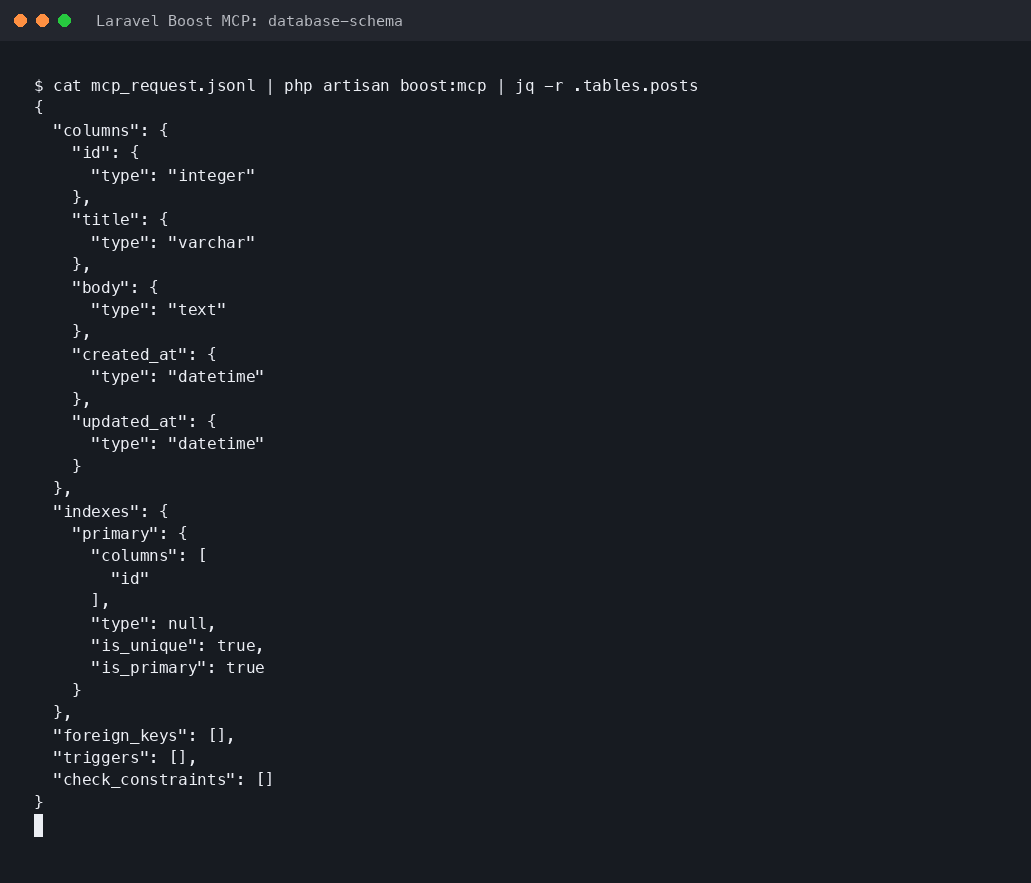
You can see the posts table's title (varchar) and body (text) columns coming back exactly as an agent would see them — as JSON.
In other words, when Claude Code writes code for this project, it's internally calling database-schema the same way — checking the real column names and types before writing the Post model or the Blade views.
3. The database-query tool turned out to be "read-only"
I wanted to insert one dummy post for testing, so at first I tried sending an INSERT statement straight through the database-query tool.
{ "query": "insert into posts (title, body, ...) values (...)" }That returned this error:
Only read-only queries are allowed (SELECT, SHOW, EXPLAIN, DESCRIBE, DESC, WITH … SELECT).It looks like the database-query tool is deliberately designed to only run read-only, SELECT-style queries, as a safeguard against accidents.
This isn't spelled out in the official docs — I only found out by actually trying it.
If you want to write data, you need to go through Laravel's normal mechanisms — Tinker, migrations, seeders, and so on.
For this test I created one dummy post via Tinker, like this:
php artisan tinker --execute="App\Models\Post::create(['title' => '...', 'body' => '...']);"4. The actual screens
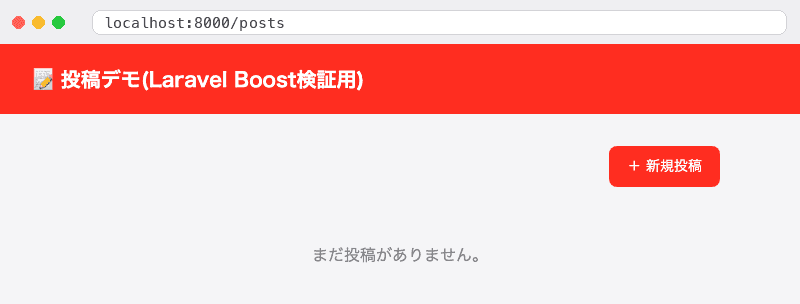
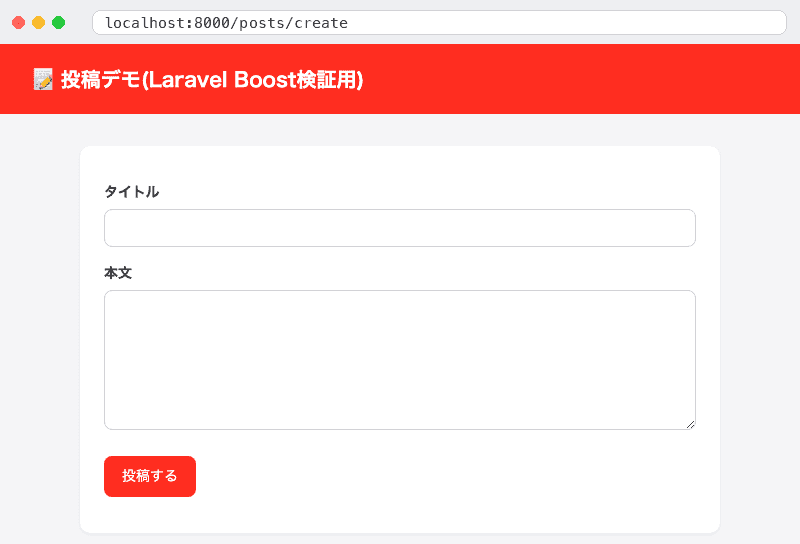
I spun up a local server with php artisan serve and took screenshots of the finished screens.
The list page with zero posts:
The new-post form:
The list page after creating one post via Tinker:
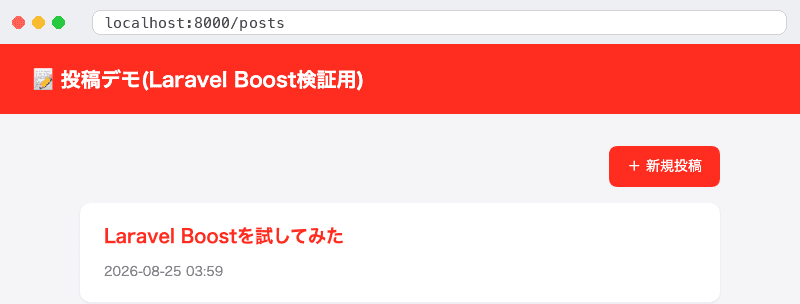
The post's detail page:
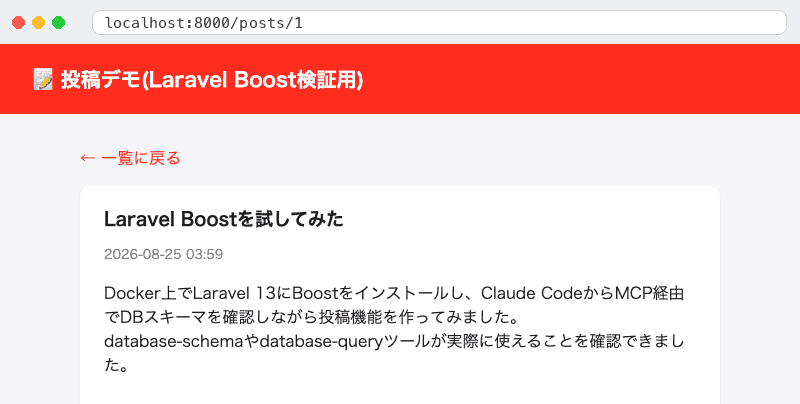
Nothing snagged from make:model all the way to the finished screens, and having Boost in place gave a real sense that the agent could work while actually checking "what's in this project's database right now" — not just guessing.
Enabling MCP manually in Claude Code
If Claude Code wasn't picked during boost:install's auto-detection, or you want to add just the MCP part later, you can register it manually by running this in your project directory:
claude mcp add -s local -t stdio laravel-boost php artisan boost:mcpClaude Code needs to approve it the first time
Even though the server is listed in .mcp.json, Claude Code won't automatically start a project-scoped MCP server, for safety.
Running claude mcp list in the test environment showed it sitting in a "pending approval" state, like this:

As the output laravel-boost: php artisan boost:mcp - ⏸ Pending approval (run \claude` to approve)suggests, the first time you start a session with theclaudecommand, you're asked whether to trust the MCP server defined in that project's.mcp.json`.
Only after you approve it there do Boost's MCP tools actually become usable.
AI Guidelines vs. Agent Skills
Both exist to "teach an AI agent Laravel's conventions," but they're loaded at different times.
- AI Guidelines — loaded all at once, upfront, when the agent starts. Meant for core conventions and best practices.
- Agent Skills — loaded on demand, only when relevant to the task at hand. Meant for detailed, domain-specific instructions, like how to write a Livewire component.
Your own project-specific rules (e.g. "always store money as integer cents") are managed separately from Guidelines/Skills, through a mechanism called Project Rules.
Tell the agent "remember this," and it calls the record-rule MCP tool, which records it as a rule file under .ai/rules.
Unlike Guidelines and Skills, .ai/rules is meant to be shared with your team, so it's recommended to keep it under version control.
Keeping Boost's resources up to date
Whenever Laravel or its ecosystem packages get updated, you can refresh the Guidelines and Skills with this command:
php artisan boost:updateIf you also want it to rescan for newly installed packages and offer Guidelines/Skills for them, add the --discover option:
php artisan boost:update --discoverYou can also wire this into composer.json's post-update-cmd, so it runs automatically every time you run composer update.
{
  "scripts": {
    "post-update-cmd": ["@php artisan boost:update --ansi"]
  }
}
Things to watch out for
- Boost's tools can access a lot of your project's data (albeit mostly read-only), so keep it to your development environment — install it with
--dev, as shown in this article. - It's still in beta, so breaking changes are possible.
- Since it's installed with
--dev, it's not included in your production dependencies. .mcp.jsonandCLAUDE.mdare auto-generated/overwritten by Boost, so any manual edits to them can get wiped out byboost:update.- If you want to add your own custom guidelines, don't edit
CLAUDE.mddirectly — add files under.ai/guidelines/instead.
Summary
Laravel Boost is an official MCP server that hands AI agents like Claude Code the real state of your project — its version, DB schema, logs, and more.
Just two commands — composer require laravel/boost --dev then php artisan boost:install — and it set up the Claude Code integration automatically.
I sent real requests to the MCP server and confirmed tools like application-info genuinely work, so if you're building Laravel apps with an AI agent, this feels like a package worth having.
Thanks for reading all the way through.


