
What Is Laravel Precognition? Building Real-Time Form Validation with Vue + Inertia
Table Of Contents
How Laravel's built-in Precognition feature works, and a hands-on build of a real-time validation form with Vue + Inertia to see it in action.
関連動画
Related Video
This is a video where we actually tried out the content from the article! If anything is unclear in the article, please check out the video.
The video provides further explanations and demonstrations, so it should be helpful.
Subscribe to Our Channel
If you found this video helpful, please consider subscribing to our channel or giving it a thumbs up! It really motivates us to create more content.
Questions and Feedback
If you have any questions or feedback regarding this article or the video, feel free to leave them in the comment section of the video. Your input is greatly appreciated and will help us improve our content in the future!


I was browsing the Laravel 13 docs and a feature called "Precognition" caught my eye.
Apparently it lets you run your backend validation ahead of time, without actually submitting or saving the form.
It looked like it could sidestep the usual SPA problem of maintaining "frontend input checks" and "backend validation rules" as two separate things, so I built a real-time validation form with the Vue + Inertia starter kit in Docker to see for myself.
Apparently It Reuses Your FormRequest Rules As-Is
Precognition is built into Laravel core, so the backend side needs no extra package.
According to the official docs, the usual approach to validation tends to look like this:
- Watch the input with JavaScript and show an error if it's invalid
- Submit → validate on the server → return an error if there is one
That means implementing the frontend and backend checks separately, but with Precognition, you can ask the server "is this field valid right now?" while the user is still typing.
The key point is that you get to reuse the exact same rules from the FormRequest you're already using.
There's no need to reimplement the same rules on the frontend, and rules that need a DB lookup, like unique, run for real at precognition time too (I confirmed this myself later with the duplicate-email screenshot below).
I Set Up a Laravel + Vue + Inertia Test Environment in Docker
1. Create a project with the Vue + Inertia starter kit
laravel new laravel-precognition-demo --vue --database=sqlite --no-authentication --pestThis pulled in Laravel 13.26.1 and Inertia 3.x as of this writing.
2. The backend side needed no extra package
All I had to do was add HandlePrecognitiveRequests to the web middleware group in bootstrap/app.php.
use Illuminate\Foundation\Http\Middleware\HandlePrecognitiveRequests; // added

->withMiddleware(function (Middleware $middleware): void {
    $middleware->web(append: [
        HandleInertiaRequests::class,
        AddLinkHeadersForPreloadedAssets::class,
        HandlePrecognitiveRequests::class, // added
    ]);
})
Looking inside vendor/laravel/framework, Illuminate\Foundation\Http\FormRequest already had the Precognition-handling code built in, so that one line was all it took.
3. Built an event sign-up form
For testing, I built a simple form that registers a name, email address, and number of guests.
A unique rule is something the frontend alone can never judge on its own, so I figured it would make Precognition's effect easy to see and added one.
// app/Http/Requests/StoreSignupRequest.php
public function rules(): array
{
    return [
        'name' => ['required', 'string', 'max:255'],
        'email' => ['required', 'email', 'max:255', 'unique:signups,email'],
        'guests' => ['required', 'integer', 'min:1', 'max:5'],
    ];
}
The controller and route are just ordinary Laravel + Inertia code.
// app/Http/Controllers/SignupController.php
public function store(StoreSignupRequest $request): RedirectResponse
{
    Signup::create($request->validated());

    return redirect()->route('signup.create')->with('success', 'お申し込みありがとうございます。');
}
According to the official docs, a Precognition request still evaluates the FormRequest's authorize() as usual.
This particular StoreSignupRequest doesn't define authorize(), but if you write custom authorization logic, it's worth keeping in mind that it gets called once extra per precognitive request.
4. Installing the frontend package
npm install laravel-precognition-vue-inertia --legacy-peer-depsWhy I needed --legacy-peer-deps
When I first tried:
npm install laravel-precognition-vue-inertianpm install failed outright.
npm error Found: @inertiajs/[email protected]
npm error Could not resolve dependency:
npm error peer @inertiajs/vue3@"^1.0.0 || ^2.0.0" from [email protected]
A version mismatch.
As of this writing, the latest [email protected] only allows @inertiajs/vue3 v1 or v2 in its peerDependencies, and it doesn't officially line up with the Inertia v3 that the current starter kit ships with.
Adding --legacy-peer-deps gets the install through, and as you'll see below it worked fine at runtime, so there doesn't seem to be any real harm — but it's worth knowing that the Vue helper for Precognition hasn't caught up to Inertia v3 yet.
Inertia, or plain axios?
Precognition's frontend helpers come in two flavors:
laravel-precognition-vue— for plain Vuelaravel-precognition-vue-inertia— for Vue + Inertia
Since this project uses Inertia, I went with the latter, but depending on your setup you may need the former instead.
5. The Vue side
Swap useForm for the Precognition version, call form.validate() on each input's change event, and real-time validation just works.
<script setup lang="ts">
//import { useForm } from "@inertiajs/vue3"; // regular Inertia uses this
import { useForm } from "laravel-precognition-vue-inertia"

const form = useForm("post", "/signup", {
  name: "",
  email: "",
  guests: 1,
})
</script>

<template>
  <input v-model="form.email" @change="form.validate('email')" />
  <p v-if="form.invalid('email')">{{ form.errors.email }}</p>
</template>
form.invalid('email') tells you whether that field currently has an error, and form.errors carries the exact validation messages from the FormRequest, which is what gets displayed here:
<p v-if="form.invalid('email')">{{ form.errors.email }}</p>Checking Whether Invalid and Already-Registered Emails Actually Trigger Real-Time Errors
I started the server with php artisan serve and took screenshots with a browser while reproducing real form interactions.
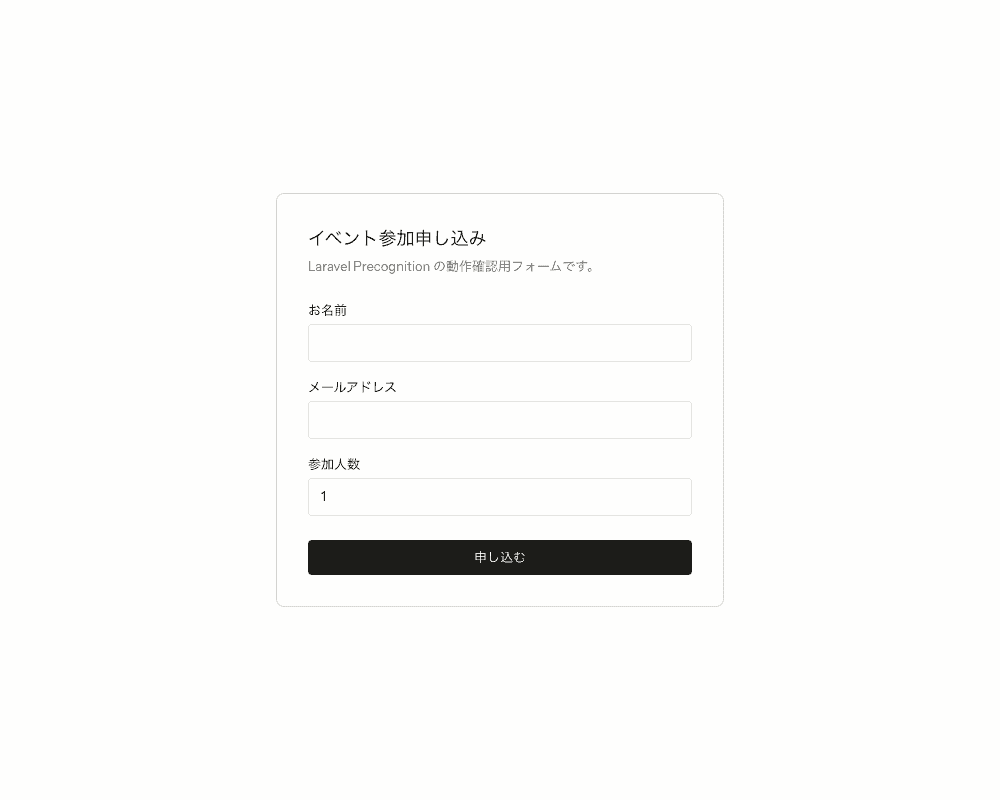
The initial state.
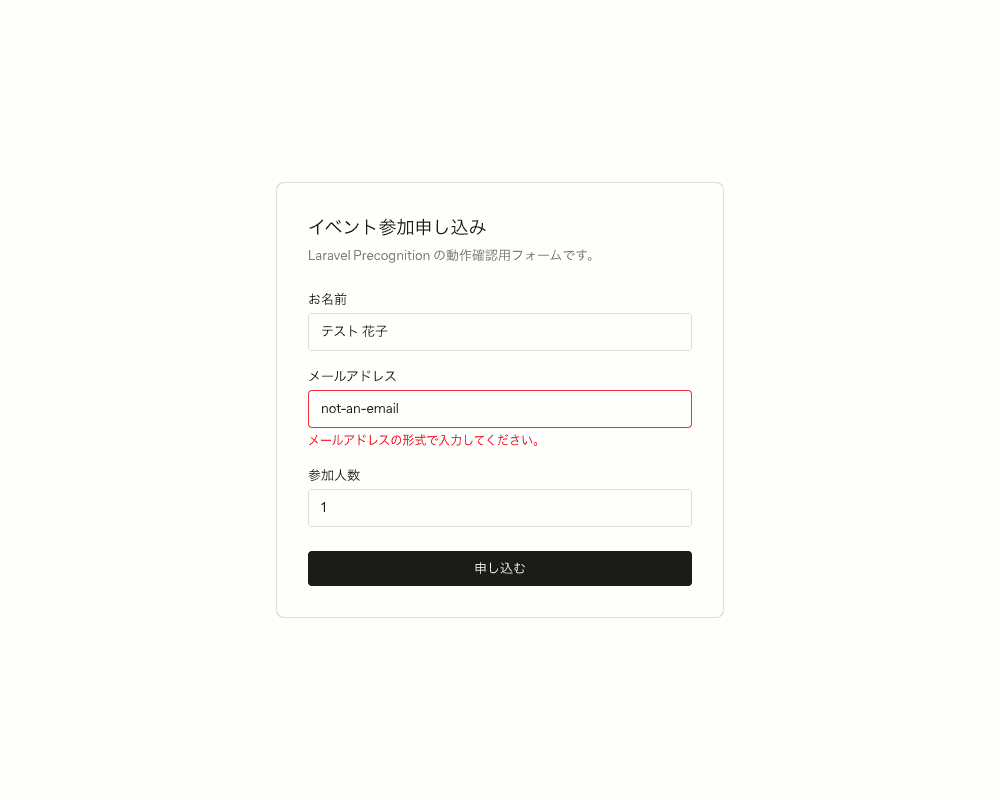
Type an invalid email format and blur the field, and an error shows up immediately — without ever submitting.
Type an email address that's already registered, and the same real-time "already taken" error appears.
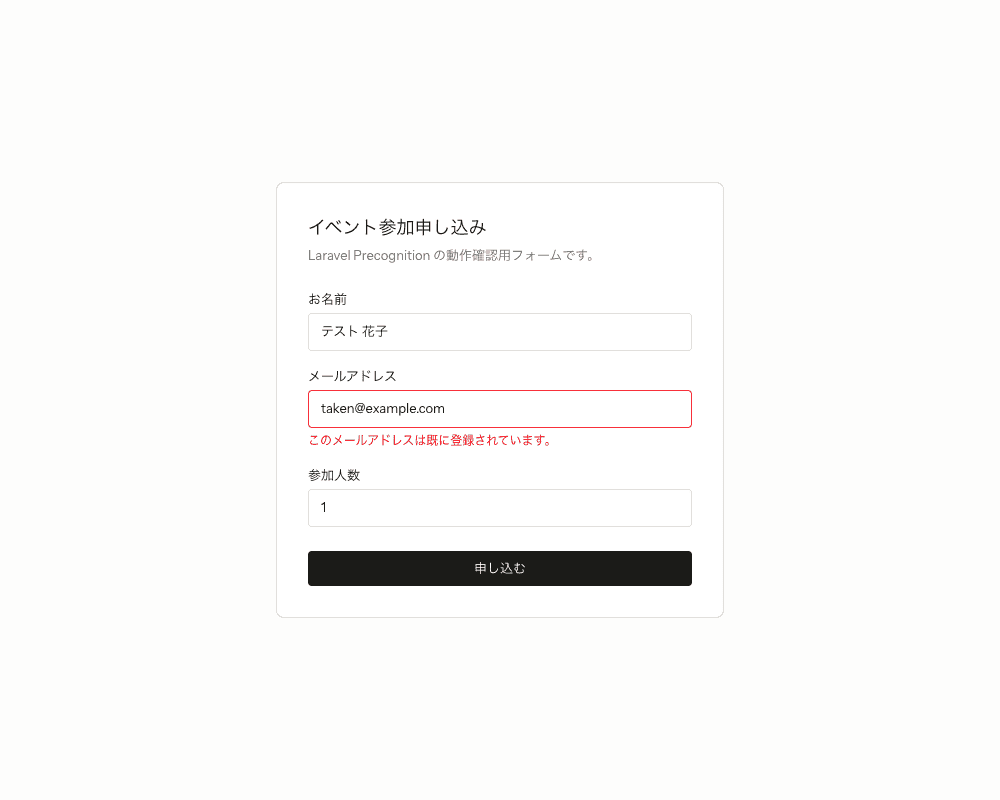
This is something frontend-only input checking can never do on its own.
It's the result of an actual duplicate check against the database.
Fix it to an unregistered address, and the error clears.
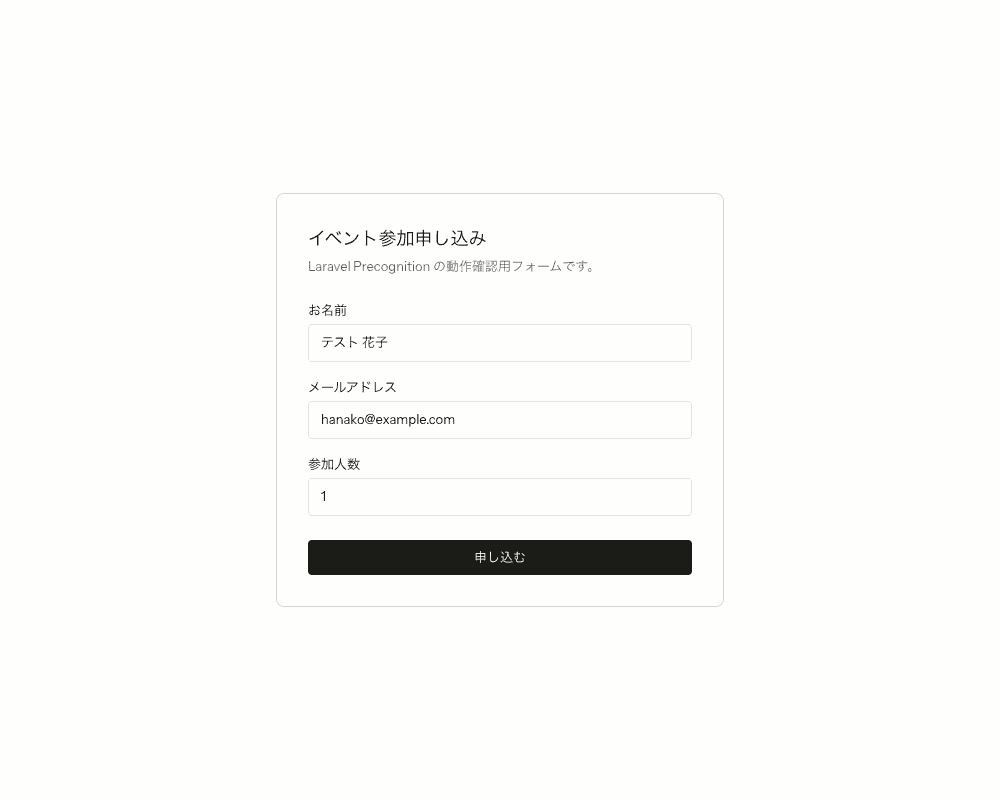
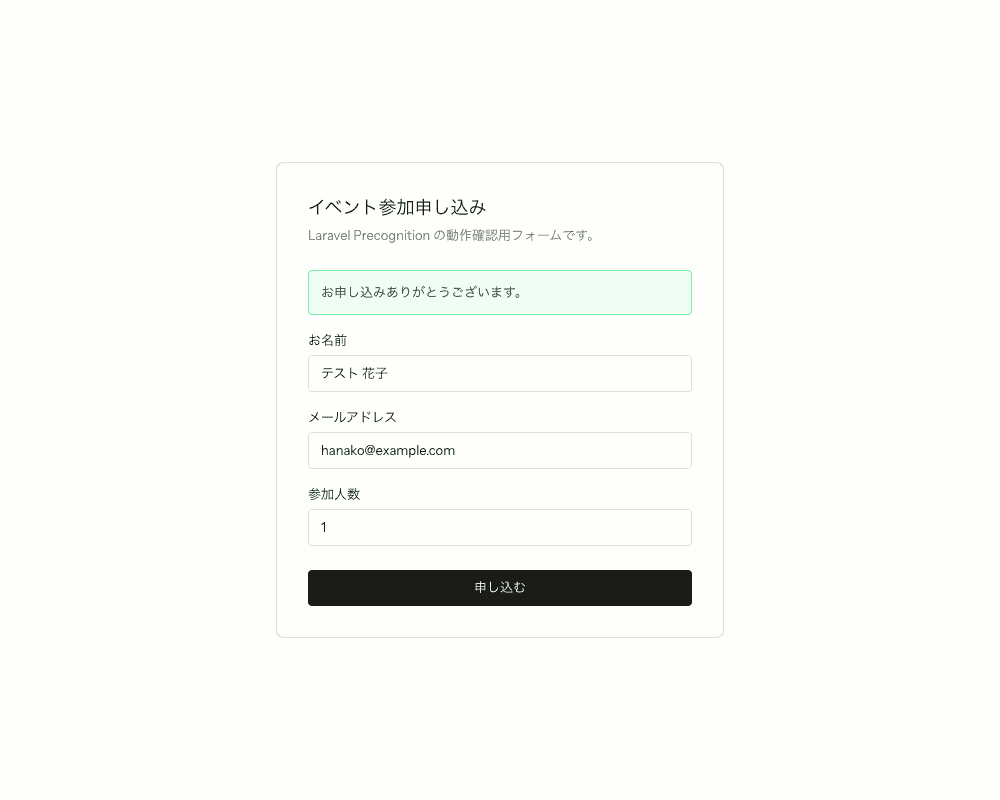
Submitting from there saves to the database as usual, and a success message shows up.
The Debounce Turned Out to Be a Full 1.5 Seconds
While feeding input into the form rapidly to take screenshots, I noticed that a short enough gap between actions meant the follow-up request just never fired.
Looking inside the laravel-precognition package (validator.js), the default value was debounceTimeoutDuration = 1500.
In other words, instead of sending a request to the server on every single keystroke, it waits until input has paused for a while, then sends just one request.
You can change it with form.setValidationTimeout(), like this:
<script setup lang="ts">
    import { useForm } from 'laravel-precognition-vue-inertia';

    const form = useForm('post', '/signup', {
        name: '',
        email: '',
        guests: 1,
    });

    form.setValidationTimeout(300); // call this once, right after creating the form
</script>
Looking at the Actual Request/Response Traffic
I logged the browser's network traffic directly to see how the Precognition headers are actually used.
| Action | Precognition-Validate-Only (request) | Status | Precognition-Success (response) |
|---|---|---|---|
| Filled in name only | name | 204 | true |
| Typed an invalid email format | email,name | 422 | (none) |
| Typed an already-registered email | email,name | 422 | (none) |
| Fixed to an unregistered email | email,name | 204 | true |
| Submit (a regular POST) | - | 302 | - |
I found that Precognition-Validate-Only doesn't just carry the field you just touched — it accumulates every field you've touched so far, comma-separated (touch name then email, and it becomes email,name).
When there are no errors you get a bodiless 204; when there are, you get a regular 422 in the same shape as a normal validation error.
Both the precognitive request and the real submission go through the actual FormRequest, so as this log shows, rules that hit the database, like unique, end up running twice — once at precognition time and once at real submission time.
Worth watching if you're attaching a heavy rule to a field that gets hit frequently.
Summary
I came away thinking this is genuinely convenient.
For the sake of UX, it's friendlier to validate before the user even hits submit, so I've always ended up hand-rolling frontend checks that try to stay in sync with the backend.
Being able to reuse the rules written in one place — the FormRequest — for frontend validation too was a real win.
It doesn't require a big rewrite either, so it should drop into an existing project easily.
It even works with a slightly older project still using axios, which is nice.
That said, in my testing the official frontend package didn't officially support Inertia v3 yet and needed --legacy-peer-deps, so it's worth keeping an eye on if you're using the latest Laravel.
Thanks for reading all the way through.


